eLabFTW Importer
Overview. Exports from eLabFTW in the.eln format (which follows RO-Crate specification) may be imported into RSpace using our importer. Import Details. Not all eLabFTW data is included in a.eln expor…
Overview
Exports from eLabFTW in the .eln format (which follows RO-Crate specification) may be imported into RSpace using our importer.
Import Details
- All data is imported as belonging to the user doing the import.
- The full
ro-crate-metadata.jsonfile is imported to the Gallery and linked to all artefacts created in RSpace - therefore you can always refer back to the source data in the RO-Crate file. - Data will be analysed and depending on its eLabFTW 'genre' and certain keywords in its metadata, will be assigned either to Inventory or to an ELN document. The user can override this choice and decide where each data item goes.
- ELN data will create documents in the user's API INBOX. Forms will be created as necessary and re-used when possible.
- Inventory data will create new Samples and Subsamples. Sample Templates will be created as necessary and re-used when possible.
- Attached data will be uploaded to the Gallery and linked in the created documents and samples.
- eLabFTW templates can have attached data. However, RSpace forms and sample templates cannot have attached data. If a user attempts to import an eLabFTW template with attached data, a form (or sample template) will be created without the attached data AND a document (or sample) will also be created with the attached data. In this way the attached data is not lost and may still be tracked.
eLabFTW data types
In brief, the eLabFTW 'experiment' genre is imported as an ELN document, and the eLabFTW 'experiment template' genre is imported as a form.
eLabFTW 'resource' genre is imported as an Inventory Sample/Subsample. The eLabFTW 'resource template' genre is imported as an Inventory Sample Template.
The first time an eLabFTW item is imported with a given set of data fields, a form (or sample template) is created in RSpace. Subsequent eLabFTW imports that use the same set of data fields re-use existing forms/sample templates.
The user can override the default destination for each item of data being imported - from ELN to Inventory and vice versa.
Some eLabFTW data is not exported:
* Compounds are not included
* Users added as 'extra fields' are not included (The user in the 'Owner' field is included, however).
How to use
The git repo is at https://github.com/rspace-os/ELN-importer
Clone the repo. To run the code: see the ReadMe file, first time setup: npm install , subsequently: npm run dev
You can now open a browser window at http://localhost:5174/
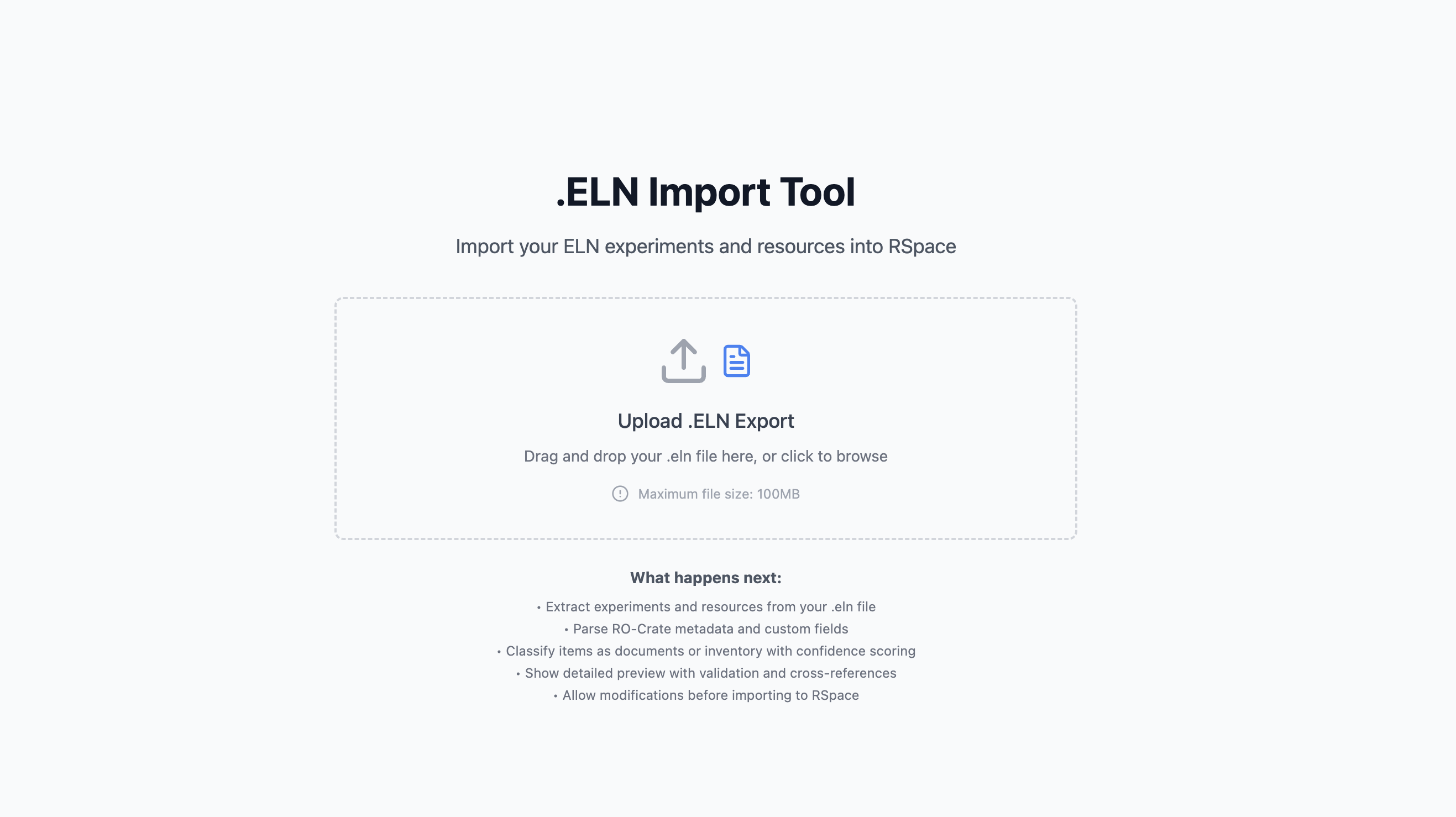
Browse the file system or drag and drop a .eln export from eLabFTW.
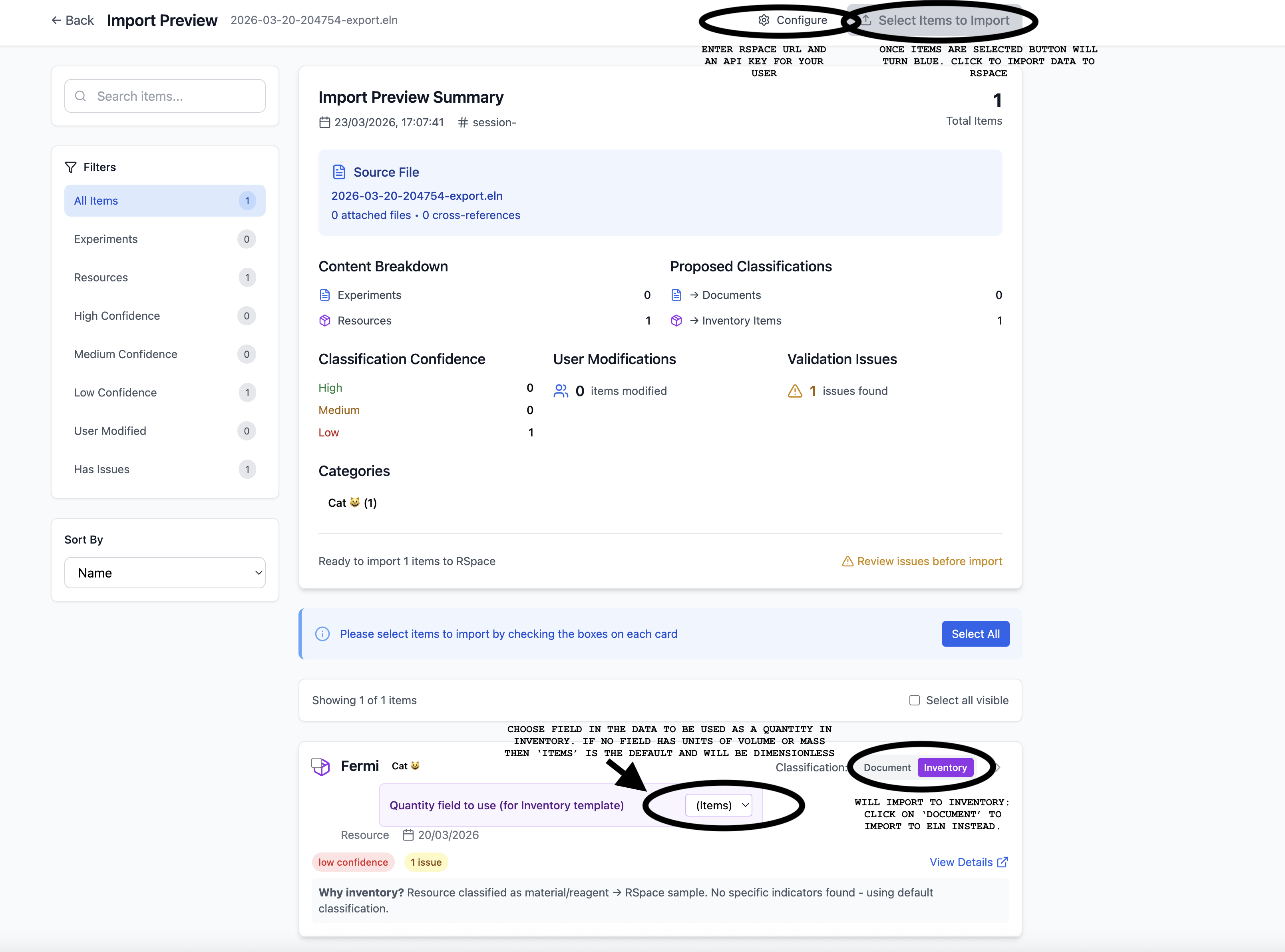
Once some data is selected (or choose 'select all') the 'select items to import' button will be enabled and clicking will begin import into RSpace.
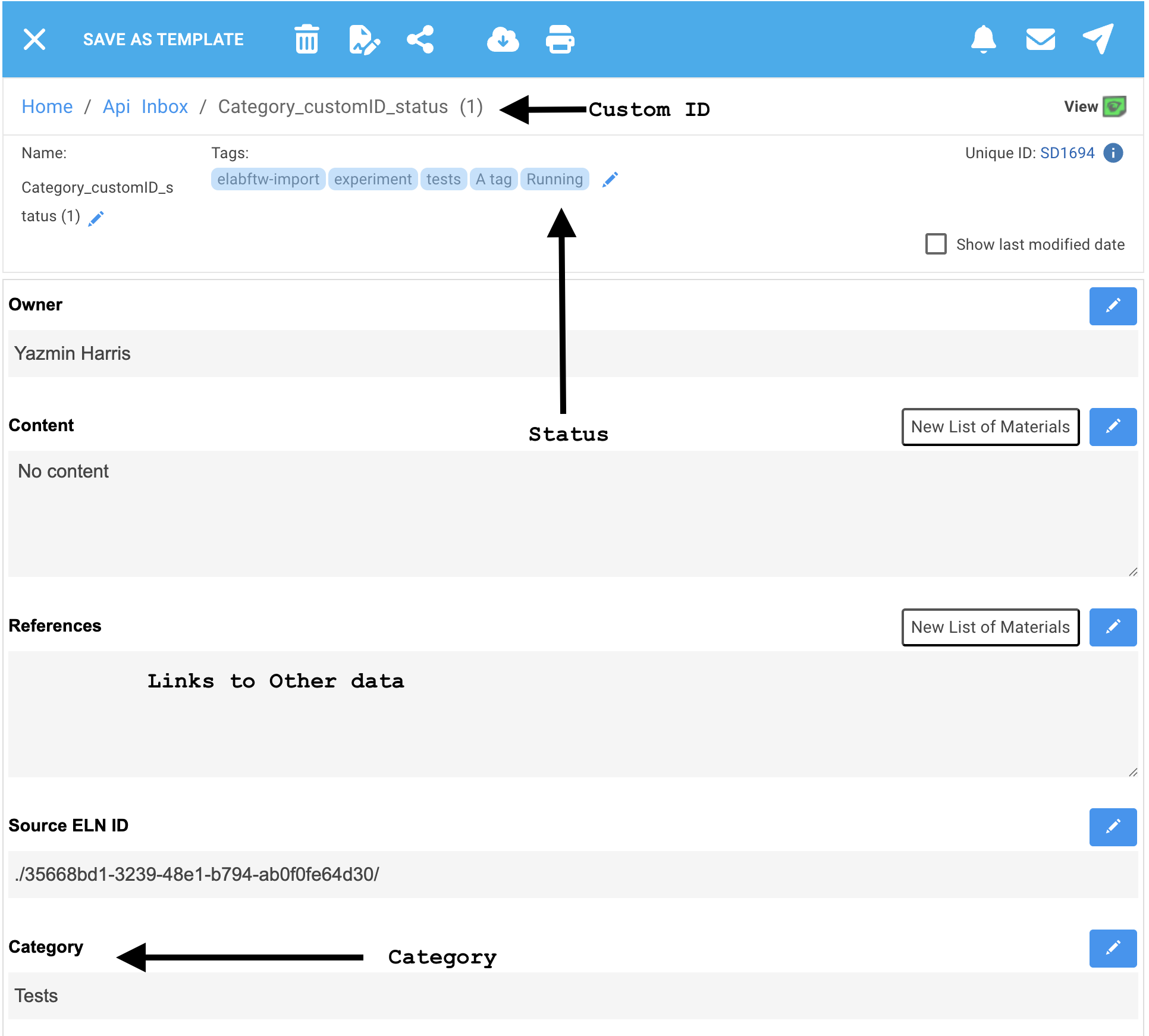
Here is an example of importing an eLabFTW experiment that had a category, status and a custom ID:
The following shows importing an eLabFTW resource which had a Number field with units corresponding to mass. Inventory can handle units of mass of volume. Anything else defaults to the dimensionless category of 'items'.
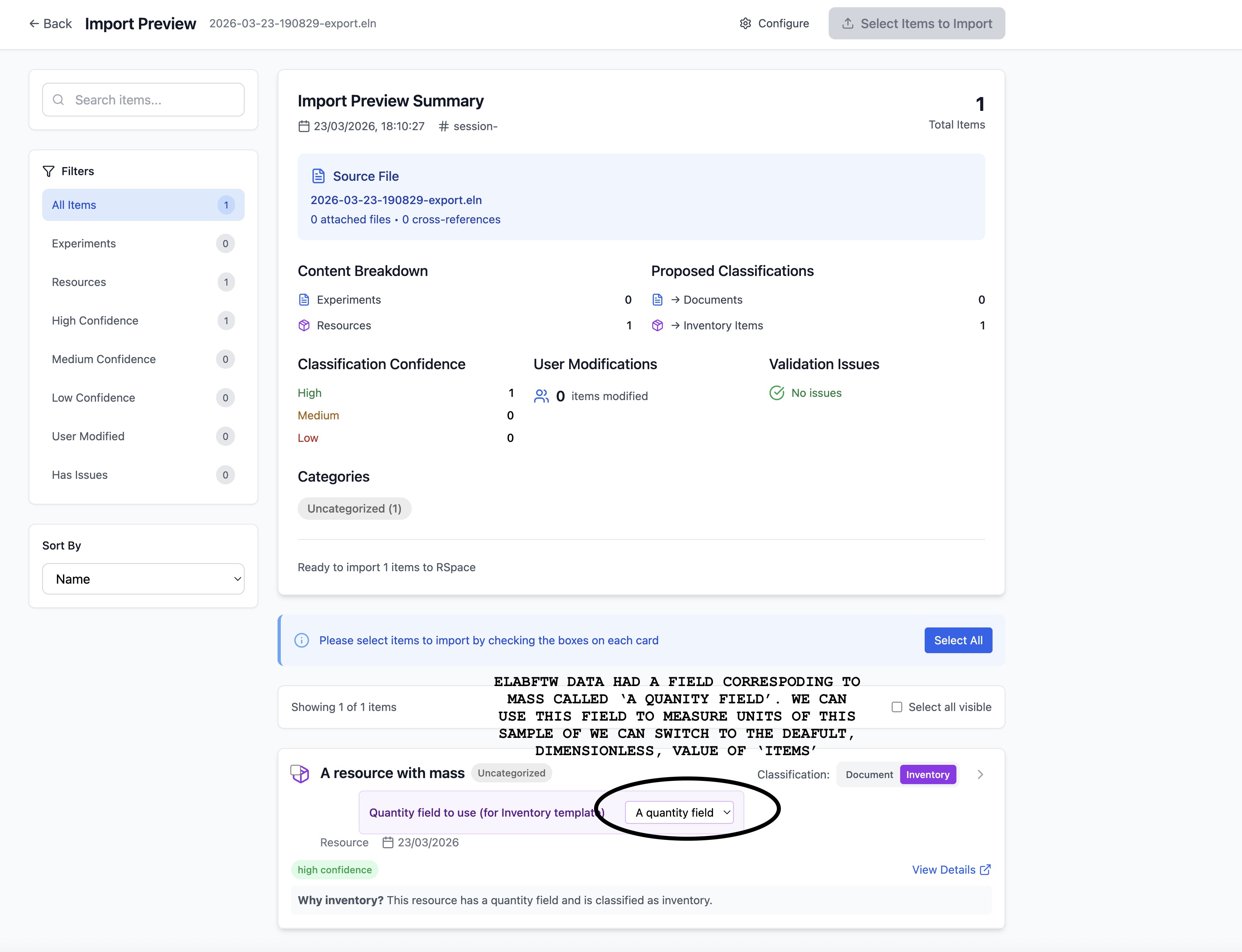
The drop down selector automatically chooses the Number field (which is named 'A quantity field' in this example) because it has units that match mass. You may choose among any of the Number fields in the eLabFTW data that have units of mass or volume prior to import.
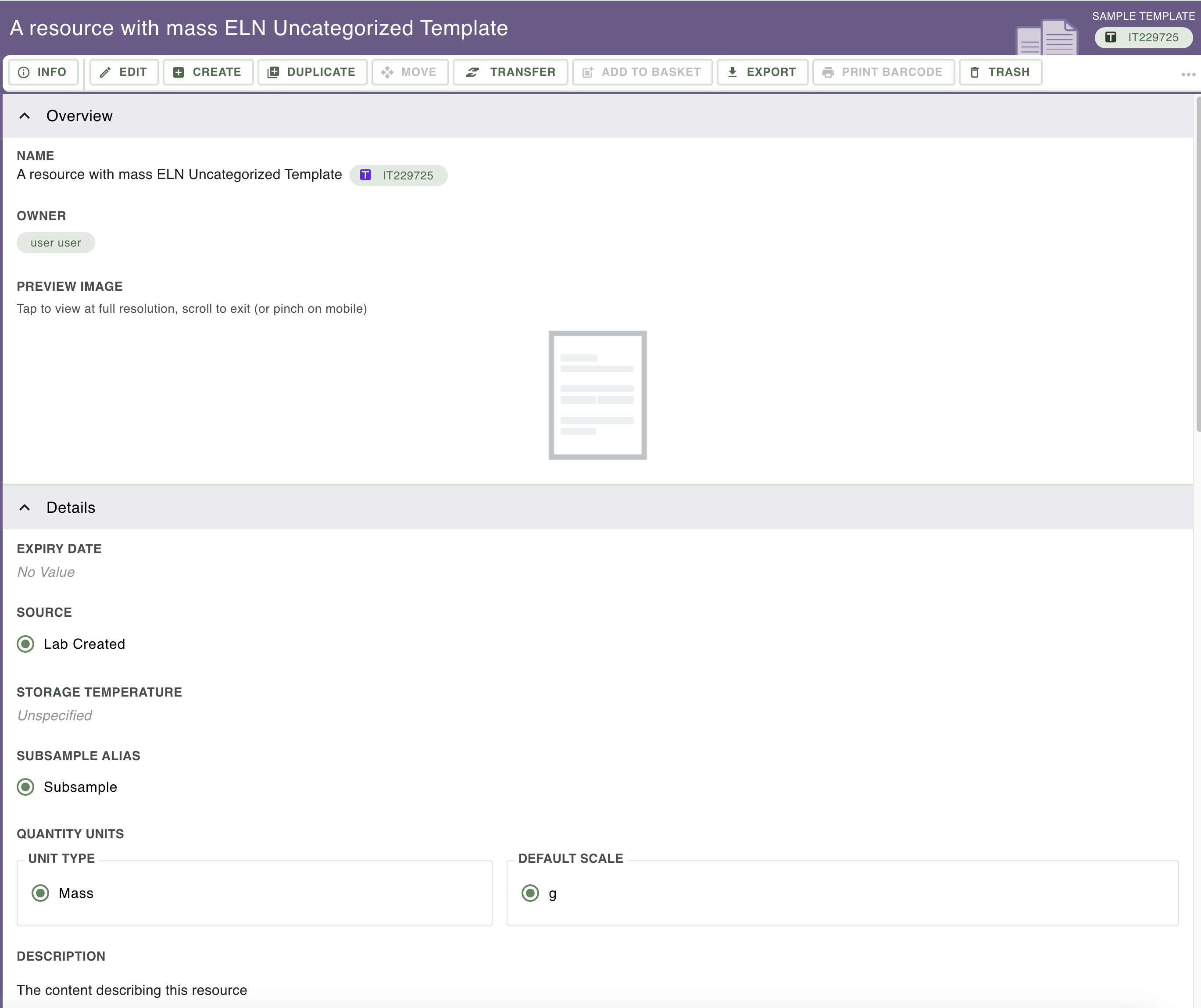
Import creates the following Sample Template (also Sample and Subsamples) in Inventory - it has a default scale of g and unit type of mass. Click on 'Edit' to change these values in the Sample Template.
How did we do?
Migrating Data Between RSpace Servers or Accounts
Export Report and Filestore Links