Table of Contents
Use Default Templates 🧪
Introduction. Each RSpace deployment has a number of default templates, which are visible to everyone. Anyone can use these templates either directly, or by copying them and adjusting the copy to the…
Table of Contents
Introduction
Each RSpace deployment has a number of default templates, which are visible to everyone. Anyone can use these templates either directly, or by copying them and adjusting the copy to their needs. A copy taken from a default template follows standard permission rules, i.e. is only visible to owner and members of their group.
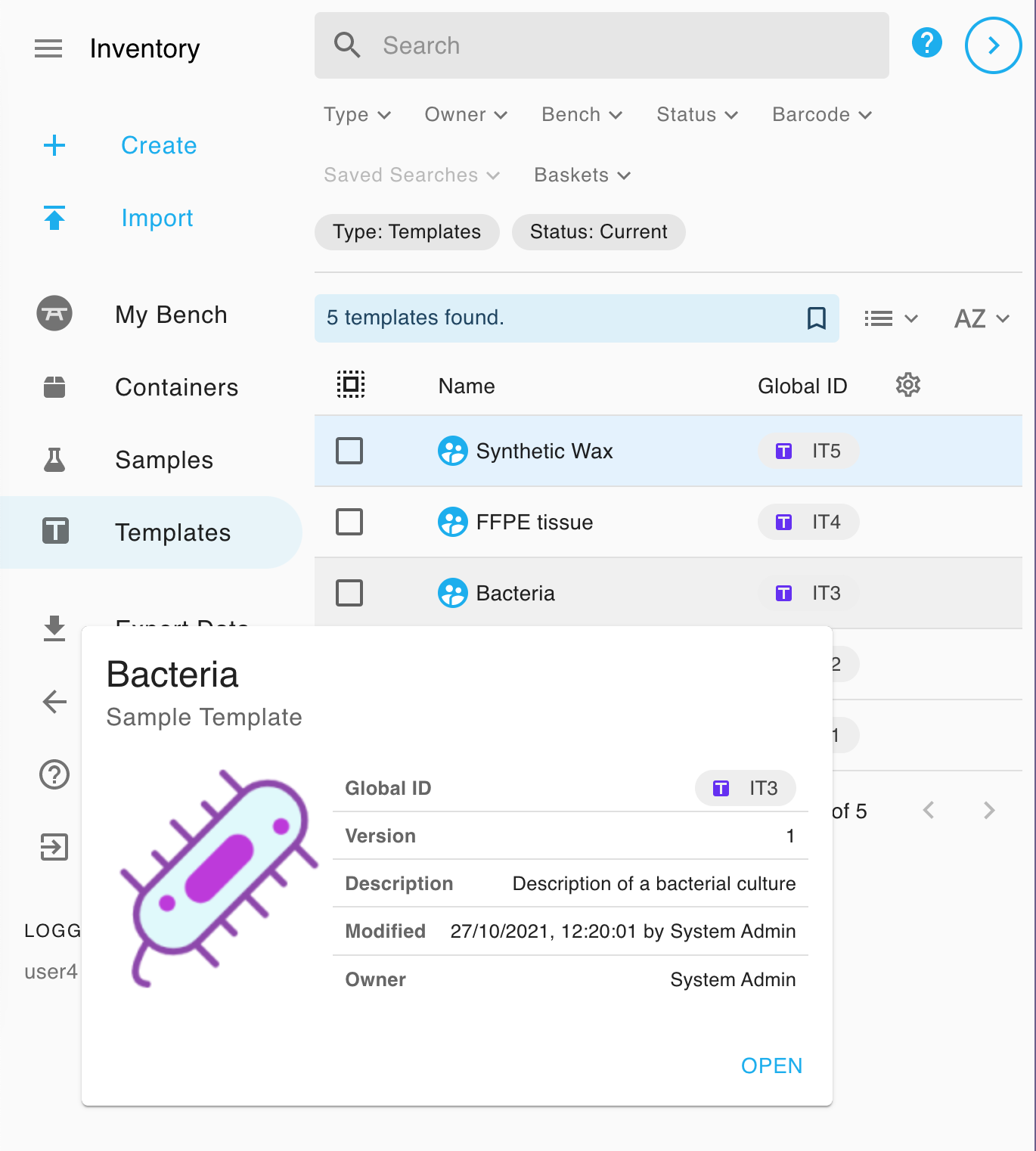
Manage default Sample Templates
To change default sample templates you need to log in to RSpace as an owner of default templates, that's usually System Admin (sysadmin1) user. If it's not sysadmin1, check the owner field in the details panel of one of default templates.
Any Sample template owned by default template owner is treated as a default template, i.e. is visible by every RSpace user. After logging in as an owner of default templates you'll be able to edit the templates the usual way. Any new template you create will be visible to every RSpace user, and any template that you delete will stop being displayed in standard template listings.
Manage default Instrument Template
You cannot change the "Instrument (PIDINST 1.0)" default template. It is provided by RSpace, and no user, not even the System Admin, can edit it. The template is visible to everyone, though, and anyone can duplicate it and edit the copy through the usual template editing mechanism.
Instrument (PIDINST 1.0) - Default template
Each field of the Instrument (PIDINST 1.0) default template maps to the registry metadata as follows. A dash (---) means that the field is not sent to that registry.
RSpace Instrument (PIDINST 1.0) field | B2INST metadata field | DataCite metadata field |
Name | Name | Title (always the Instrument's current name) |
Description | Description | --- (DataCite descriptions come from the Identifiers section) |
Owner |
| --- |
Manufacturer |
| --- |
Model |
| --- |
Instrument type |
| --- |
Commissioned |
| --- |
Decommissioned |
| --- |
Measurement technique |
|
|
Measured quantity | Measured variables | --- |
Calibration |
|
|
Last calibrated | --- | --- |
Landing page | Landing page (the Landing page field if it holds a web address starting with http:// or https://, otherwise the RSpace public landing page) | --- (not sent; the DOI resolves to the RSpace public landing page) |
Alternate Identifier |
| --- |
The Owner and Manufacturer fields are required. Measurement technique and Calibration are link fields, which link the Instrument to another item in RSpace. A Measurement technique link uses the relation IsDocumentedBy, and a Calibration link uses IsCalibratedBy or IsDescribedBy. Whichever relation the link has, it is sent to the registry as IsDescribedBy, because PIDINST has no IsDocumentedBy or IsCalibratedBy relation. At the moment Last calibrated is not sent to either registry.
RSpace recognises these fields by their name and type, ignoring upper and lower case. If you duplicate the template, keep the field names and types unchanged: a field that has been renamed, or whose type has changed, is no longer sent to the registry.
When you import an Instrument from a PIDINST registry, RSpace fills in the fields of this template from the registry record. See Search and Import PIDINST Instruments into your Inventory 🧪 for details.
How did we do?
Add a Note to a Subsample 🧪
Import Inventory Items from CSV Files 🧪